PC Monitors
Dell UltraSharp U4025QW — 40" 5K2K (5120×2160) IPS Black Curved Productivity/Creator Monitor (2026)
source not recorded
source not recorded
source not recorded
Price
| Market | MSRP / list | Current street (observed 2026-09-20) |
|---|---|---|
| US | $2,399.99 (launch MSRP, 2024-02-27 — PCWorld CES 2024, Notebookcheck, TechPowerUp citing Dell; CA $3,289.99) | $1,478.95 — Amazon US via smartprix aggregator, crawled 2026-09-18 (down $130 / 9% in one month); $1,549 — Target via smartprix, crawled 2026-09-18; PCWorld "Best Prices Today" feed 2026-09-19: $1,475.50 / $1,498.99 / $1,549 / $1,549.99 (retailer mapping not shown); Dell.com USA: $2,099.99 (Estimated Value $2,399.99, save $300 — crawled ~2026-09-14, Dell part 210-BMDP); TweakTown review-era price $1,919.99 (2024-04-29); SHI B2B list $2,999.99 → $2,426.00 (updated 2026-09-19, inflated list price) |
| Canada | $3,289.99 (launch) | $2,499.99 CAD price feed (TweakTown, ~2026-09-13); DirectDial $3,128 CAD w/ instant rebate expiring 2026-09-30 |
| UK | — | £1,245 price feed (TweakTown, ~2026-09-13; was £1,356.92 30 days prior) |
| India | — | ₹159,099 (dellstore.com, crawled ~2026-09-18) |
| Australia | — | $2,049 AUD incl GST (PB Tech AU, listed 2026-09-21) |
- The $1,475–$1,479 street cluster (Amazon/smar
...[truncated 3323 chars]
The full dossier
Research date: 2026-09-20. Prices and claims dated below; re-verify live before purchase.
1. Overview
The Dell UltraSharp U4025QW is the productivity/creator community's "one monitor replaces dual setup" king: 40" (39.7" viewable) curved 5K2K ultrawide with an IPS Black panel, 120Hz, and a full Thunderbolt 4 hub — 140W PD, 2.5GbE Ethernet, KVM, and a pop-out quick-access port module. Official product name verified live 2026-09-20 against Dell's own storefronts (Dell USA, Dell AU, Dell HK): "Dell UltraSharp 40 Curved Thunderbolt™ Hub Monitor — U4025QW" (Dell part 210-BMDP; order code u4025qwsap). No name correction needed — U4025QW is correct.
What it is: 39.7" 2500R curved IPS Black, 5120×2160 (5K2K WUHD, 21:9) @ 120Hz, 2000:1 native contrast, DisplayHDR 600, 99% DCI-P3 / 100% sRGB, ΔE<2 factory calibration (report included), Thunderbolt 4 with 140W EPR power delivery, 2.5GbE RJ45, Network KVM, internal MST (iMST) screen-splitting, 2×9W speakers, 100×100 VESA. Announced at CES 2024, shipped 2024-02-27. Predecessor: Dell U4021QW (same 40" 5K2K but 60Hz, Thunderbolt 3, 90W PD — many owners upgrade from it; Laptop Mag notes it was $1,919.99 at Dell when the U4025QW launched). Successor: none known as of 2026-09-20; the Alienware AW3926QW (39" 5K OLED, just flagged 2026-09-20) is a gaming OLED in a different category.
Naming note (minor): HotHardware's CES 2024 coverage once typo'd it as "UW4025QW" — the correct model is U4025QW.
CORRECTION vs phase-1 pulse: the pulse listed this as "Petapixel's best curved photo-editing pick." Live-check of petapixel.com/best-monitors-photography-photo-editing/ (crawled 2026-09-19) shows the "Best Curved Monitor for Photo Editing" category still names the predecessor U4021QW (with 2021-era specs — 300 nits, 98% DCI-P3, $2,100 — the page content appears stale despite a recent update). The U4025QW is the pulse's community pick, and creator outlets do recommend it (PCMag, FindingTheUniverse 2026), but the specific Petapixel-U4025QW attribution could not be verified live — UNVERIFIED, treated as corrected to the predecessor as shown live.
2. Social standing
Platforms: review-press aggregations (TechSpot product page + TechSpot/PCWorld/DisplayNinja/RTINGS/TweakTown/Tom's Guide/PCMag/MonitorNerds reviews), MacRumors owner thread (7 pages, ongoing through ~2026), Dell community, Medium, ergonomics blogs, Threads, YouTube review channels, scraped Amazon reviews. (Reddit r/Monitors r/macsetups r/editors: no dedicated U4025QW owner threads surfaced in web searches 2026-09-20 — the MacRumors and Dell-community threads serve as the owner-discussion layer; treated as an open-web recovery gap, not Reddit itself.)
- Review-press consensus — the flagship productivity ultrawide. TechSpot's aggregation (page updated ~18 days before 2026-09-02 crawl): DisplayNinja 88 (2025-03-20): "The Dell U4025QW is an excellent monitor for both gaming and work thanks to its IPS Black panel with a high contrast ratio, high pixel density, wide color gamut, Delta E < 2 factory calibration, extensive connectivity options and VRR support up to 120Hz. Its only downside is the price and poor HDR image quality for the money." HotHardware 90 (2025-02-21): "big, beautiful, curved Thunderbolt-enabled monitor... ideal for creators and productivity workers who need excellent color fidelity and a ton of high resolution screen real estate." RTINGS 81 (2024-05-03): "works exceptionally well for office work, provided you're not in a very bright environment. It has extremely sharp text... several extra productivity features, like a KVM switch, 140W of power delivery over USB-C, and internal MST support, so you can subdivide the screen into multiple virtual monitors." TechRadar 90 (2024-07-22): "a phenomenal ultrawide monitor for productivity and performance... despite its hefty price tag and massive footprint." Tom's Guide 80 (2024-02-27): "If you can afford it, this 40-inch 5K display is the ultimate productivity upgrade for your laptop." PCWorld 70 (2024-02-27): "isn't a good choice for HDR content... suffers a stand that seems overmatched by the display's size and weight. Pricing is also a concern. The retail MSRP of $2,399.99 is far higher than competitors like the LG 40WP95C-W, which often retails under $1,400." PCMag 90 (2024-02-27): "combines a massive port selection with a magnificent, high-contrast screen to make a nearly perfect monitor for photographers, videographers, and other creative pros who can afford it."
- TweakTown deep review (2024-04-29; own score 93% — page carries an Amazon-associate affiliate disclosure, flagged). Measured contrast 2050:1; "much more accurate color signature, which means it's closer to how the human eye sees, making it better for photo/video editing" vs OLED. HDR: "I would recommend switching HDR off when using the U4025QW" — "due to the lack of a dynamic backlight... areas of the image that are supposed to be completely black appear much lighter than they should be." Stand: "swiveling the monitor... does illicit some pretty nasty creaking... The U4025QW wobbles significantly." Auto-brightness/auto-temperature "more annoying than useful" — switched off. Curve "almost unnoticeable... Even if you aren't a fan of curved displays, I believe the U4025QW's curve wouldn't bother you at all." On weight: "the heaviest monitor I have tested... a shocking 30 pounds" — check monitor-arm limits before VESA-mounting.
- MacRumors owner thread (7 pages, ongoing through ~2026) — the dual-setup-replacement thesis, verified by owners. U4021QW upgrader doing SW engineering + photo/video editing + music production: "I've used dual display setups for years, and this is so much better. No bezels, no head turning and end-of-day neck pain, it's great. Although I am not a fan of curved monitors in general, the curve on these is very slight and I have no issue with it (I actually quite like it)." 120Hz reality: "As others have said, M1 Pro/Max doesn't support 120Hz. I have an M1 Max MBP and an M1 Ultra Studio, and am not able to get 120Hz out of either of them" — M2 Pro MBP and Dell Precision over Thunderbolt get 120Hz: "it's GLORIOUS." KVM: "The built-in KVM of this monitor... is fantastic." Apple Studio Display switcher (HTee): "The Dell is almost perfect and it's a real pleasure to use it. My eyes are also no longer so strained... I would buy the Dell again - really a great monitor." Another owner: "The display is not as sharp as the Studio Display – I use it scaled... I am also satisfied with the brightness... I would buy the Dell 4025 again. It works flawlessly with my Macbook Pro with M1Pro and also with my M4Pro Macbook."
- Dell community (Feb 2025) — the one dissenting owner. Mac user could not get iMST (internal multi-stream transport) working; 90+ minutes with tech support, pointed at the KVM instead: "Very disappointed. Monitor is going back." (Single report; MacRumors owners report the monitor itself working flawlessly on Macs.)
- Mac setup gotcha (Medium, andrewwhitten, 2026-03-14). MacBook Pro M2 Max: "it did not work with the supplied Thunderbolt 4 cable, with the monitor saying it could not detect signal" — fixed by buying an Apple Thunderbolt 5 Pro cable; then "a very nice 5k display at 5120x2160 at 120Hz" and "my desk has only one power cable to the monitor and one Thunderbolt cable to the MacBook." (Note: base M3/M4 MacBooks cap at 60Hz per same post.)
- Ergonomics/blogger owner (zanlib0, "a year of ergonomics", updated ~6 days before 2026-09-18 crawl). "the included stand is laughably bad, and the included cables are very short"; auto-brightness "incredibly aggressive with no way to tweak it manually"; but the KVM made switching between a Linux PC and MacBook "completely seamless" — "it's an excellent monitor that I am very happy with... I would definitely recommend it."
- Threads: @jason.riemer (per phase-1 pulse, 2026-09-20): "I use and really like the Dell U4025QW."
- Creator-photo press: FindingTheUniverse's 2026 photo-editing guide: "Best Ultrawide for Photo Editing: Dell UltraSharp U4025QW... the best option right now" — "equivalent to two 27-inch 1440p monitors side by side, but without the bezel down the middle... If you're coming from the older Dell U3821DW (which many photographers used), this is a significant upgrade in every way." Caveats from same guide: price, desk depth, and the curve "can make straight lines appear slightly curved."
- Amazon reviews (via shopabunda BNPL page, scraped — low-value source, flagged): "John P." (2025-12-21): "Best monitor I've had (yet). Upgraded from a Dell 3818dw... The color is excellent... 120Hz is a nice upgrade, as is HDR (abet only HDR600)... Black level is really good for an IPS panel... The built in KVM works well... Highly recommend, especially if on sale."
- YouTube review channels (all carry affiliate-link disclaimers — flagged). "Dell U4025QW Ultrawide Review (18 Months Later)": long-term productivity endorsement — 5K2K text clarity, 120Hz, Thunderbolt single-cable, MacBook use. "IPS Black is a Game-Changer" review: hyperbolic ("genuinely unmatched") — treat marketing-adjacent. "THESE Are The BEST Photo Editing Monitors I've Ever Used For 2026": includes the U4025QW among pro picks with affiliate links.
Consensus verdict: owners and press agree it's the best single-monitor dual-setup replacement — IPS Black contrast, 140 PPI text, 120Hz, single-cable TB4 dock, KVM — and nearly everyone who buys one keeps it. The knocks are consistent across years: street-vs-MSRP pricing, weak HDR600 (switch it off), a stand that creaks/wobbles under the 30-lb panel, an aggressive auto-brightness sensor, very short bundled cables, and 60Hz-only on M1-series Macs at full res.
3. Key specs table
| Spec | Dell UltraSharp U4025QW | Source |
|---|---|---|
| Panel | IPS Black Technology, 39.7" viewable (40" class), 2500R curved, 21:9, anti-glare 3H | Dell USA/AU/HK official |
| Resolution / refresh | 5120×2160 (5K2K WUHD) @ 120Hz (VRR 48–120Hz per retailers); 140 PPI | Dell official; singular.com.cy |
| Response | 8 ms (normal) / 5 ms (fast) | Dell AU/official |
| Contrast | 2000:1 typical native (TweakTown measured 2050:1) | Dell official; TweakTown |
| Brightness | 450 cd/m² typical (SDR) / 600 cd/m² peak (HDR); TechSpot measured ~240 nits average SDR | Dell AU official; TechSpot product page |
| HDR | VESA DisplayHDR 600, HDR10 — widely reviewed as weak ("recommend switching HDR off") | Dell official; TweakTown; DisplayNinja |
| Color | 99% DCI-P3, 99% Display P3, 100% sRGB, 100% BT.709, 1.07B colors, ΔE < 2 (avg) factory calibration (report in box) | Dell USA official |
| AdobeRGB | UNVERIFIED — Dell does not state AdobeRGB coverage; 2021-era Petapixel note also says Dell doesn't list it | No official source |
| Ports (video) | 1× HDMI 2.1 (5K2K 120Hz FRL, HDR static metadata, VRR per HDMI 2.1), 1× DP 1.4 (HDCP 2.3, 5K2K 120Hz, DSC) | Dell USA official |
| Thunderbolt 4 | 1× upstream w/ DP 1.4 alt mode, 10Gbps data, 140W EPR PD; 1× downstream (15W) for daisy-chaining | Dell USA official |
| USB hub | 1× USB-C upstream (data only — for KVM with HDMI/DP), 4× USB-A 10Gbps, 2× USB-C downstream 15W (pop-out front module), 1× USB-A BC1.2 quick access (pop-out front) | Dell USA official; HotHardware |
| Ethernet | 2.5GbE RJ45 — WoL, MAC address pass-through | Retailer spec sheets (itnest, singular) |
| KVM | Yes — Auto KVM + Network KVM (control multiple network-connected PCs with one keyboard/mouse, file transfer between them) | PB Tech; shopabunda owner review |
| iMST | Internal multi-stream transport — splits screen into two 2560×2160 virtual monitors without software | PB Tech; Dell official |
| Speakers | 2× 9W integrated; audio line-out | singular.com.cy; Dell official |
| Stand / VESA | Tilt −5°~21°, swivel ±30°, height 150mm (5.91"); VESA 100×100; no pivot | Dell official; directdial |
| Weight / size | 12.22 kg w/ stand (itnest) — TweakTown weighed ~30 lbs (13.6 kg); 946.62 × 252.8 × 472.32–622.32 mm w/ stand | itnest; TweakTown |
| FreeSync | UNVERIFIED for this SKU — HDMI VRR confirmed by Dell spec; one YouTube review claims "AMD FreeSync support" | Dell official (VRR via HDMI 2.1); YouTube |
| Extras | Ambient light sensor, ComfortView Plus (≤35% blue light), TÜV Rheinland 5-star eye comfort (first 5K monitor), Dell Display Manager / Easy Arrange; 85% PCR plastic, 100% recycled aluminum, EPEAT Gold, TCO Certified Edge | Dell official; TechPowerUp |
4. Pricing
| Market | MSRP / list | Current street (observed 2026-09-20) |
|---|---|---|
| US | $2,399.99 (launch MSRP, 2024-02-27 — PCWorld CES 2024, Notebookcheck, TechPowerUp citing Dell; CA $3,289.99) | $1,478.95 — Amazon US via smartprix aggregator, crawled 2026-09-18 (down $130 / 9% in one month); $1,549 — Target via smartprix, crawled 2026-09-18; PCWorld "Best Prices Today" feed 2026-09-19: $1,475.50 / $1,498.99 / $1,549 / $1,549.99 (retailer mapping not shown); Dell.com USA: $2,099.99 (Estimated Value $2,399.99, save $300 — crawled ~2026-09-14, Dell part 210-BMDP); TweakTown review-era price $1,919.99 (2024-04-29); SHI B2B list $2,999.99 → $2,426.00 (updated 2026-09-19, inflated list price) |
| Canada | $3,289.99 (launch) | $2,499.99 CAD price feed (TweakTown, ~2026-09-13); DirectDial $3,128 CAD w/ instant rebate expiring 2026-09-30 |
| UK | — | £1,245 price feed (TweakTown, ~2026-09-13; was £1,356.92 30 days prior) |
| India | — | ₹159,099 (dellstore.com, crawled ~2026-09-18) |
| Australia | — | $2,049 AUD incl GST (PB Tech AU, listed 2026-09-21) |
- The $1,475–$1,479 street cluster (Amazon/smar
...[truncated 3323 chars]
Images (reconstructed 2026-09-21)
Disclosure: this item file was found truncated (sections after Pricing missing, no Images section). Three valid JPEGs matching this item's slug were found orphaned on disk and are re-linked here. Visually verify exact-model before use in any public build.
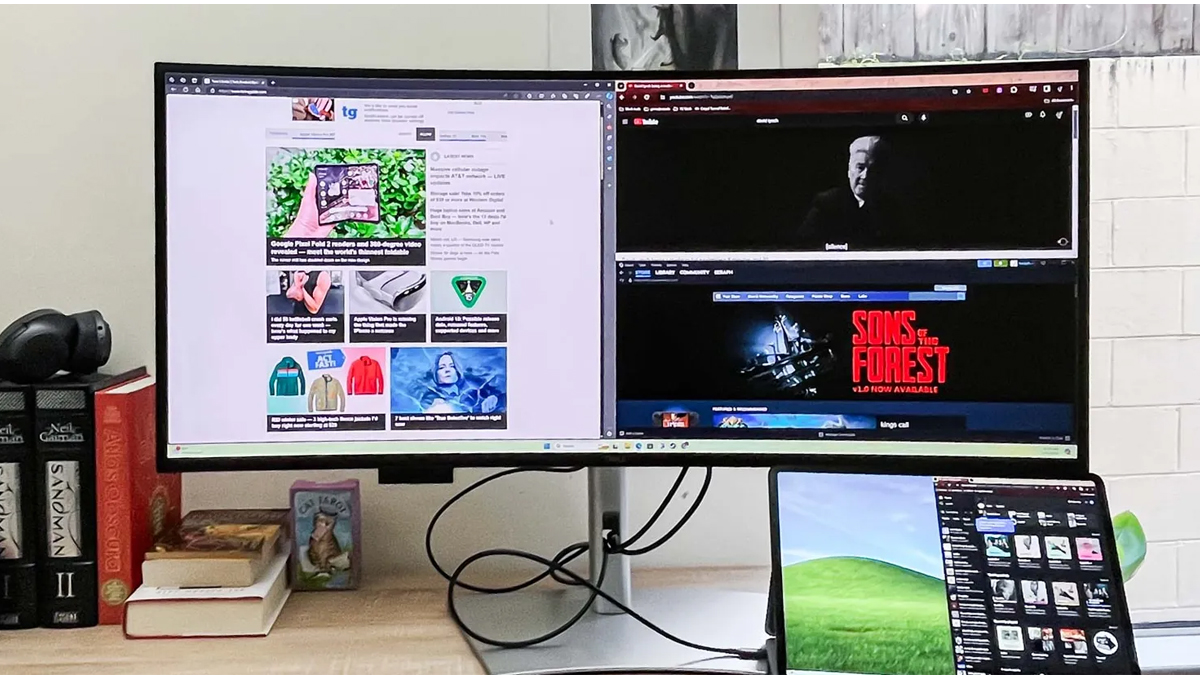
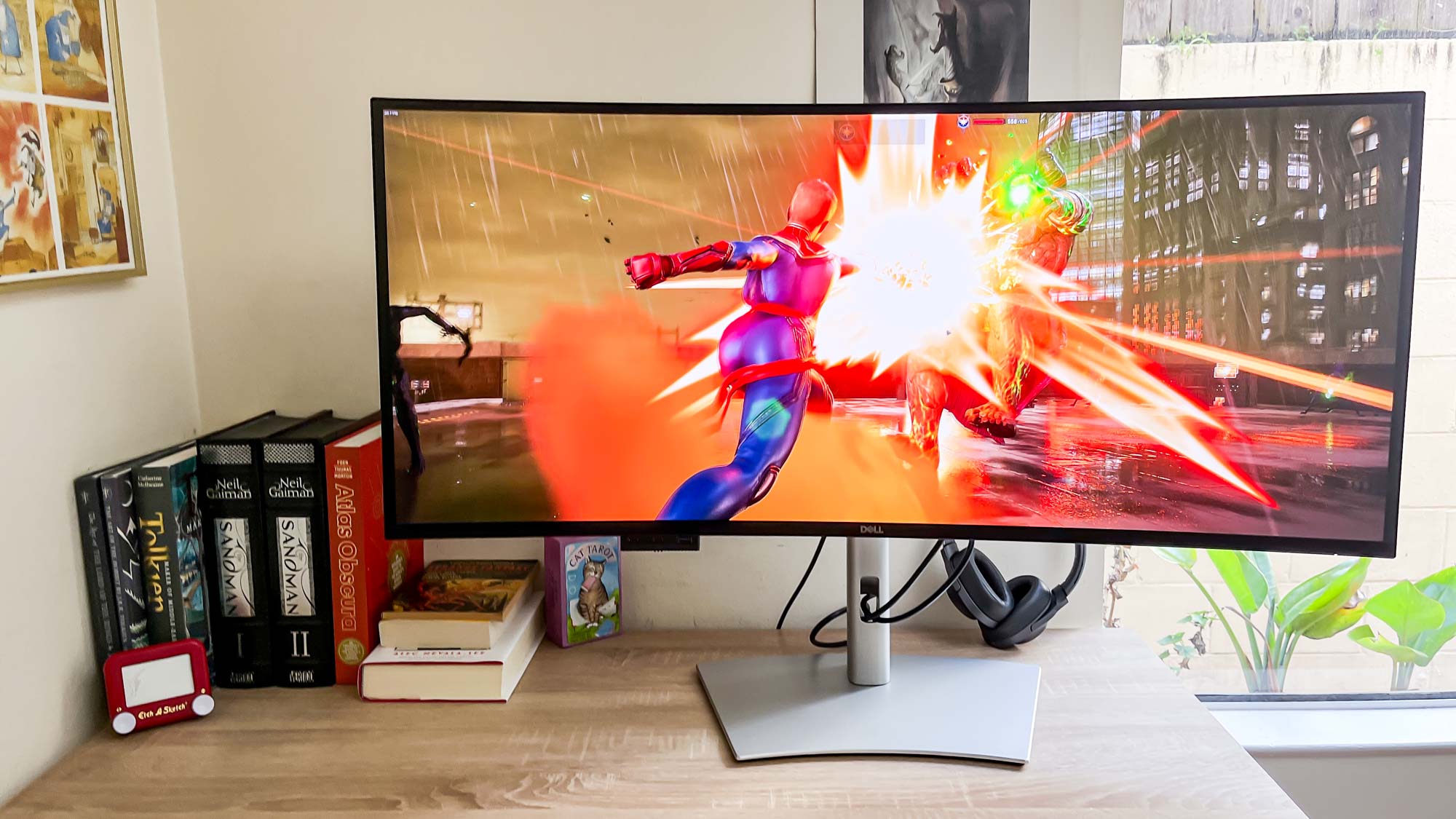
monitor-dell-u4025qw-1.jpg— Ultrawide desk setup: multi-window browser, YouTube/Steam and a laptop alongside the panelmonitor-dell-u4025qw-2.jpg— Gaming on a Dell ultrawide (fighting game); panel and stand read as this 40-inch classmonitor-dell-u4025qw-3.jpg— Cityscape demo content (Acropolis at dusk) on the ultrawide panel
The review
Dell UltraSharp U4025QW Review
The monitor that ends the two-monitor era — if your desk, your Mac, and your HDR expectations cooperate.
The Dell UltraSharp U4025QW is a 40" curved 5K2K (5120×2160) IPS Black panel running at 120Hz, with a full Thunderbolt 4 dock built in: 140W power delivery, 2.5GbE Ethernet, KVM, and a pop-out quick-access port module. Owners describe the same conversion experience over and over — dual displays for years, then this, then no going back. A MacRumors owner doing software engineering plus photo/video editing plus music production: "I've used dual display setups for years, and this is so much better. No bezels, no head turning and end-of-day neck pain, it's great." A Studio Display switcher: "The Dell is almost perfect and it's a real pleasure to use it. My eyes are also no longer so strained... I would buy the Dell again." Seven pages of that thread, running through 2026. This is the one-monitor-desk-setup king, and it's not close.
What's genuinely good is the density of solved problems. 140 PPI at 5K2K with ΔE<2 factory calibration (report in the box) — RTINGS: "extremely sharp text." IPS Black's ~2000:1 native contrast (TweakTown measured 2050:1) is the best blacks you'll get without OLED, and TweakTown's colorist take was that its color signature is "closer to how the human eye sees, making it better for photo/video editing" than OLED. Single-cable Thunderbolt 4 at 140W charges a 16" MacBook Pro with headroom. The KVM — including Network KVM that controls multiple network-connected PCs with file transfer — gets called "fantastic" by owners and "completely seamless" switching between a Linux PC and a MacBook by an ergonomics blogger a year in. Internal multi-stream transport splits the panel into two 2560×2160 virtual monitors without software. FindingTheUniverse's 2026 photo-editing guide: "Best Ultrawide for Photo Editing... the best option right now." The curve, 2500R, is "almost unnoticeable" per TweakTown — even curve skeptics stop noticing.
Now the list, because this monitor's knocks are consistent across two years of ownership and every one of them is specific. HDR: don't. DisplayHDR 600 on a panel with no dynamic backlight means, per TweakTown, areas "supposed to be completely black appear much lighter than they should be" — their recommendation is to switch HDR off entirely, and DisplayNinja agrees it's the unit's "only downside" besides price. The stand: TweakTown again — swiveling "does illicit some pretty nasty creaking," and "the U4025QW wobbles significantly" under a panel they weighed at ~30 lbs. An ergonomics blogger a year in: "the included stand is laughably bad, and the included cables are very short." Budget a real monitor arm and check its weight limit before you VESA-mount 30 pounds. The auto-brightness and auto-temperature sensors are "incredibly aggressive with no way to tweak it manually" — owners switch them off. Mac owners, read this part twice: M1 Pro/Max and M1 Ultra machines can't do 120Hz at full res — "I am not able to get 120Hz out of either of them." M2 Pro and up get 120Hz over Thunderbolt ("it's GLORIOUS"), but one M2 Max owner found the supplied Thunderbolt 4 cable didn't work at all — "the monitor saying it could not detect signal" — fixed only by buying an Apple Thunderbolt 5 Pro cable. And the one dissenting Dell-community owner: 90+ minutes with support trying to get iMST working on a Mac, pointed at the KVM instead — "Very disappointed. Monitor is going back." Single report, but it's the support call you might have.
two UNVERIFIED flags to carry openly. AdobeRGB coverage: Dell doesn't state it, and no official figure exists — print photographers, this is your warning. And the Petapixel attribution got corrected in research: their "best curved photo editing" page names the predecessor U4021QW with 2021-era specs, so treat the U4025QW-as-Petapixel-pick claim as corrected, not as an endorsement. FreeSync branding is likewise UNVERIFIED; HDMI VRR is confirmed.
Who should skip it: HDR enthusiasts (this is an SDR-productivity monitor wearing an HDR badge); M1-series Mac owners who want 120Hz; anyone with a shallow desk — it's 40 inches of curved panel plus a wobbling stand; print photographers who need verified Adobe RGB; and anyone paying near the $2,399.99 MSRP, which PCWorld already called out against the LG 40WP95C-W often retailing under $1,400.
The social pulse, in one paragraph: press aggregations and the MacRumors owner thread agree — the best single-monitor dual-setup replacement you can buy — while the knocks (HDR, stand, cables, sensors) repeat so consistently across years that they're part of the product's identity now. Reddit's monitor subs never built a dedicated owner layer for it; the MacRumors and Dell-community threads are the owner discussion. YouTube carries long-term endorsements, all with affiliate-link disclaimers — treat the hyperbole ("IPS Black is a Game-Changer") as marketing-adjacent and the 18-month-later productivity verdicts as the useful part.
Value call: the $1,475–1,499 street cluster (Amazon, Target feeds, September 2026) against a $2,399.99 MSRP is the entire buy thesis — down $130 in a single month, still falling. Dell.com sits at $2,099.99, which is the "we'd rather you didn't" price. At ~$1,475 it's the productivity buy of the guide; at $2,400 it's a monument to launch pricing. Never pay list.
Buy it to delete your second monitor, turn HDR off on day one, put it on a real arm, and — if you're on a Mac — verify your machine and your cable before the return window closes. Do that, and the neck-pain people are right.
Prices and claims observed 2026-09-20; re-verify live before purchase.