Gaming on the Big Screen: 120Hz, 144Hz, VRR, and the Best TVs for PS5, Xbox, and PC
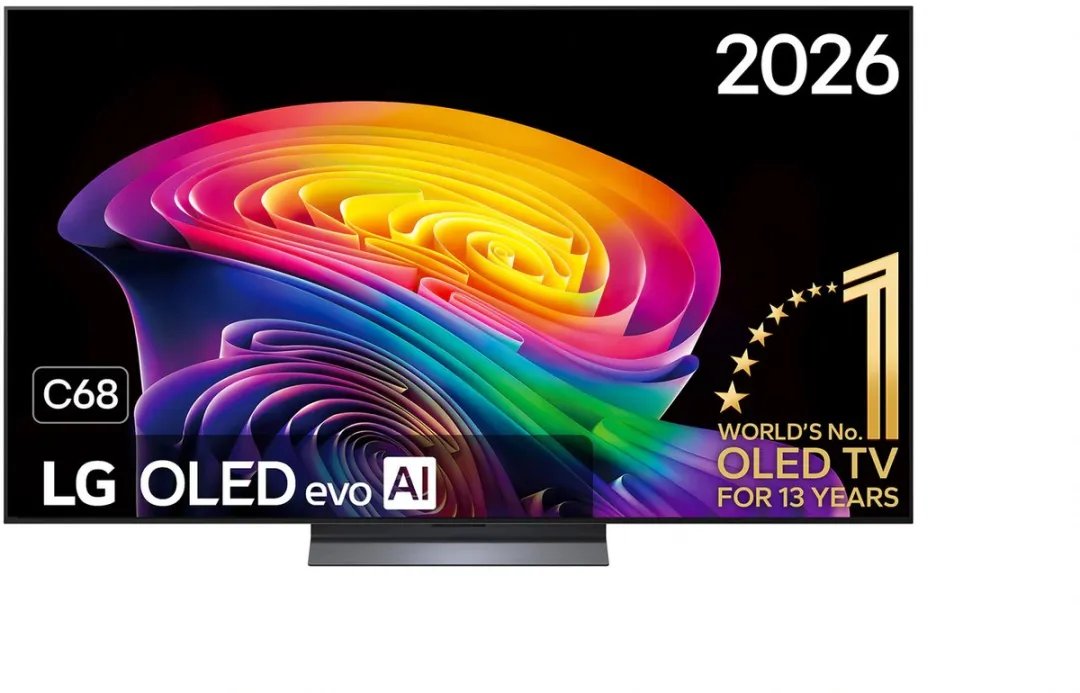
Remember the first time you plugged a PS5 into a nice TV? That moment when the menus suddenly feel like they're floating and your thumbs have already started moving before your brain catches up. There's a specific version of that feeling where the TV is fighting you — menus that feel glued to the screen, a shooter where you swear you're aiming a half-second late — and then there's the version where the display just disappears and it's you and the game. The difference between those two experiences is almost entirely a handful of acronyms most people buy wrong. This guide is about getting it right.
What actually matters when a display games
HDMI 2.1 bandwidth is the gatekeeper. A full 48Gbps HDMI 2.1 port carries 4K at 120Hz with HDR. Without it, your PS5 or Xbox Series X can be the fastest console on the shelf and the TV still caps you at 60Hz. Every TV pick in this guide has full-bandwidth HDMI 2.1 ports — four of them on the LG G6 and Samsung S95H, four on the TCL QM8L too. But watch out for port-mapping weirdness on budget sets: owners of the $348 Walmart Onn 55" Mini-LED discovered only HDMI 3 and 4 actually handle 4K/144, while port 1 (eARC) and port 2 top out at 4K/60. Read the owner threads before you plug in.
120Hz vs 144Hz, honestly. Your PS5 and Xbox Series X max out at 120Hz. Period. A 144Hz TV — the TCL QM8L, the Onn Mini-LED, and every PC monitor below — only uses those extra 24Hz when a PC is driving it. If you're a pure console gamer, 144Hz is not a feature you're buying; it's a PC bonus riding along. Don't pay extra for it, but don't turn it down either.
VRR is the single most underrated feature. Variable Refresh Rate lets the display sync to whatever frame rate the game is actually rendering — 58fps, 73fps, whatever — instead of tearing or stuttering when a game dips below the refresh rate. On consoles it's automatic once enabled; on PC you get it through G-Sync Compatible or FreeSync Premium Pro branding. Every display in this guide supports it. One owner-side quirk worth knowing: RTINGS flagged VRR flicker in darker scenes on the Gigabyte FO32U2P, and OLED VRR flicker in general is a known quirk of the technology, not one brand's bug.
ALLM is the one you forget to enable and then blame the TV. Auto Low Latency Mode flips the TV into its game mode automatically when a console wakes up. Combined with low input lag — reviewers consistently call out the S95H and LG OLEDs for responsiveness — it's the difference between a TV that feels like a display and one that feels like an appliance.
For PC gamers, the game diverges at DisplayPort. Consoles speak HDMI and nothing else. A serious PC setup wants DisplayPort — ideally DP 2.1 UHBR20, which the Gigabyte FO32U2P was the first OLED monitor to ship, giving DSC-free 4K/240Hz. Everyone else runs 4K/240 over DP 1.4 with Display Stream Compression, which owners report is visually lossless in practice (TFTCentral's note: on DP 1.4 cards it runs fine via DSC). You also get 240Hz options on the desktop side, which consoles can't touch. This is the first honest fork in the road: couch or desk.
Monitors vs. big-screen TVs: the honest trade
A 32" 4K OLED gaming monitor runs you roughly $1,000–1,300. A 65" Mini-LED TV with 144Hz can cost $1,500 or less. The price-per-inch math makes the monitor look insane until you sit down and actually use one.
What the monitor wins: desk ergonomics, 240Hz (double what any TV does), 0.03ms response times, and DisplayPort. Text clarity matters enormously on a monitor — you're reading text eight hours a day — and reviewers specifically praise the ASUS PG32UCDM's RGB Stripe-level text clarity and the Gigabyte FO32U2P's crispness. WOLED monitors like the LG 32GS95UE have a slightly different subpixel structure; fuzzy 1080p desktop text was one of the complaints in that model's firmware-era bug thread, so if you do desktop work on your gaming display, the QD-OLED monitors are the safer text bet.
What the TV wins: everything else. Sixty-five inches for the price of a 32" monitor, speakers that don't embarrass you (the S95H ships 70W 4.2.2ch audio; LG's 32GS95UE has Pixel Sound, which reviewers love, but it's the exception), a remote, apps, and a couch. The input-lag gap that used to separate monitors from TVs has basically closed — modern OLED TVs are as responsive as the panels on your desk.
Burn-in is the real monitor anxiety, and it's mostly about how you use it. Couch gaming with full-screen motion is gentle on OLED. Desktop use — static taskbars, browser chrome, spreadsheet cells sitting in the same pixels for eight hours — is the scenario that actually worries people. This is where warranties stop being fine print. Dell's 3-year Advanced Exchange on the Alienware AW3225QF covers burn-in and ships a replacement the next business day; an owner who had a PSU failure wrote that "Dell were very good to deal with." LG's monitor warranty is typically 2 years (UNVERIFIED for the 32GS95UE-B specifically) with no explicit burn-in language found in the research, and Gigabyte's 3-year burn-in wording is similarly UNVERIFIED. If your OLED will live on a desktop, the warranty is part of the product — buy accordingly.
One more TV-side caution: panel lottery. Samsung's S95H uses QD-OLED panels at 55", 65", and 77", but the 48" and 83" sizes use LG Display Tandem W-OLED panels — different technology in the same model name. If you're eyeing the 83", know what you're actually buying.
The TV picks: for the couch gamer
Samsung S95H — the reference set. It won the 2026 Value Electronics TV Shootout with a 9.3, ending Sony's seven-year OLED winning streak, judged against $40,000 mastering monitors. QD-OLED color volume, near-zero reflections, 4K/165Hz on all four HDMI ports, VRR, ALLM, G-Sync Compatible, FreeSync Premium Pro, the Gaming Hub. This is the gamer's flagship that calibrators picked. Two caveats, both Samsung-shaped: no Dolby Vision on any Samsung TV, full stop — if your streaming life is Netflix and Apple TV+, the LG picks below decode it natively — and Samsung's service reputation bleeds into every owner thread, with a 1-year warranty against LG's 5-year panel term. The 65" launched at $3,399.99 with street prices reported around $2,800 (deal-blog figure, verify live). Buyers who fought Samsung support and lost already know who they are.
LG G6 — the most complete package. Four full-bandwidth HDMI 2.1 ports, 4K/165Hz, Dolby Vision game mode, VRR, ALLM, G-Sync, FreeSync Premium Pro, HGiG — the full gaming stack with nothing missing, plus Dolby Vision decoding the Samsung lacks. The sleeper spec is the 5-year panel warranty (years 2–5 cover the panel itself), the strongest burn-in anxiety answer in the business. TechRadar called it "a new high bar for OLED TVs in 2026." It's $3,399 at launch, barely moved to $3,299.99 six months later — nobody disputes it's excellent, owners just admit the G4/G5-to-G6 jump is nearly invisible in normal viewing. If you're not paying launch price for a refinement, the clearance 2025 G5 is where the smart LG money goes.
LG C6 — the one most people should actually buy. Tom's Guide called it "the TV we'd recommend for most folks," then immediately told readers they'd be "no worse off buying last year's C5 at a deep discount." Same gaming stack as the G6 — 4K/165Hz, full HDMI 2.1, VRR, ALLM, Dolby Vision — at $2,699 (65") MSRP instead of $3,399. The trap to know: the 77" and 83" are sold as the C6H with the brighter tandem panel trickled down from the G-series; the 42"–65" sizes use the standard panel. They're not the same TV in different sizes. Wait for the holiday discount or grab the clearance C5 — the community's C6 advice is entirely about price timing, because the picture was never the question.
The value plays for a gaming den: the TCL QM8L (65", street around $1,500 after deal pricing, four full HDMI 2.1 ports, 144Hz, Mini-LED brightness with no burn-in anxiety at all — just note the QA-lottery reports on its predecessor and the warranty-denial threads under TCL's own ads) and the genuinely surreal Walmart Onn 55" Mini-LED at $348, which has a 15-page owner thread of people mapping its quirks in public — including the HDMI 3/4 port mapping above and the need for certified HDMI 2.1 cables to stop flickering. For a bedroom, dorm, or a kid's gaming setup, $348 for 144Hz Mini-LED is the budget story of the year.
The monitor picks: for the desk gamer
LG UltraGear 32GS95UE-B — the two-monitors-in-one trick. A 31.5" 4K WOLED at 240Hz that drops to 1080p to hit 480Hz for esports, switched with one button press. Nothing else does this, and competitive players who split time between cinematic single-player and CS2/Valorant genuinely feel it. Pixel Sound (audio emitting from the screen itself) is the standout bonus reviewers keep praising. But go in with eyes open: the firmware history is the warning label — a verbatim Adorama owner reported the panel would "shut off randomly for a second or two! VERY annoying!", plus white static on boot and a LinusTechTips thread literally titled "is the LG 32GS95UE really this bad." Firmware updates reportedly helped later units, and replacement units were the resolution path for the blanking bug, but whether current retail stock is fully clean is UNVERIFIED. Buy recent stock, update firmware on day one, and never pay the $1,399 launch price — at ~$1,050 street it's the esports-friendly OLED; at $1,399 the QD-OLED trio below wins on warranty and USB-C.
Gigabyte AORUS FO32U2P — the spec sheet champion. The first OLED gaming monitor with full DisplayPort 2.1 UHBR20 — DSC-free 4K/240Hz for the RTX 50-series generation — plus 65W USB-C with DP alt mode, KVM, daisy-chaining, speakers, and the same Samsung QD-OLED panel class as the trio. RTINGS called it "fantastic for PC gaming"; one reviewer went as far as "probably the best monitor I've ever used." The panel and feature set are beyond dispute. The company selling it is the dispute: a detailed r/OLED_Gaming RMA saga — black screens, a firmware update that bricked the unit, a second repair returned with the cheaper model's motherboard, ending in legal action — is the single-source-but-severe data point. The community verdict is basically a sentence: buy it for the spec sheet and the street price (~$960 in a dated sighting — recheck live), but buy it from a retailer with a return policy you'd actually want to use.
Alienware AW3225QF — the immersion pick, with caveats stated openly. Same Gen-3 QD-OLED panel as the ASUS and MSI, but the only one curved (1700R, subtler in person than on paper), the only one with Dolby Vision, and the only one with HDMI eARC — which makes it, as TechRadar put it, "a perfect monitor for PS5," since a console or streaming box gets real home-theater behavior. And Dell's support is the best-regarded of the bunch by owner consensus. Now the honest part: failure reports exist. An overclockers.co.uk owner reported half the screen dying on a unit under two years old; another had a PSU failure. The counterweight is real too — the PSU-failure owner wrote that "Dell were very good to deal with," and the 3-year Advanced Exchange with burn-in coverage is why people keep buying Dell anyway. The failures are real; the service is the reason. There are also real annoyances: an active fan (Dell says audible fans are expected behavior), no USB-C video at all (kills single-cable laptop docking), no speakers, and — per Dell's own Best Buy Q&A — no headphone jack. It's a $1,199 monitor that regularly sells for $800–900. Pay the deal price, never the list price.
The one to think twice about: the 27" Alienware AW2725Q had black-screen failure reports around month three, with refurbished replacements reportedly affected — prevalence and fix status UNVERIFIED. It's the conditional value pick of the 27" OLED class only if that thread turns out to be a batch issue. Check for firmware or recall news before buying.
What beginners get wrong
Buying a 60Hz TV for a PS5. This is still the most common mistake, and it's the most expensive kind — you're paying for a console that renders 120 frames a second and a TV that shows 60. Check the actual panel refresh rate, not the motion-smoothing marketing number. If the box says "Motion Rate 120" on a 60Hz panel, that's marketing soap, not Hz.
Using a TV as a desktop monitor without checking text clarity. A 55" TV as a PC monitor sounds glorious until you're reading fringed text from three feet away. Subpixel layout and chroma subsampling (4:4:4) matter enormously at desk distance and not at all at couch distance. If desktop text is part of the plan, the monitors above were built for it; TVs were not.
Ignoring eARC for audio. You got the OLED, you got the console, and then the sound comes out of the TV's built-in speakers for two years because setting up audio felt like a second project. The HDMI eARC port is the one that carries full-quality audio to a soundbar or receiver — the Alienware's eARC is exactly why it works as a console monitor. One cable, ten minutes, and everything downstream of the TV sounds like it should.
Buying the size without checking the panel. The S95H's 83" isn't the QD-OLED the reviews praised. The 65" C6 isn't the tandem-panel the 77" C6H is. Model names cover multiple panels now; the review you read might be reviewing a different display than the box you're buying.
Cheaping out on the cable. The Onn owners figured this out in public: HDMI flickering and black screens at high refresh rates, fixed by certified Ultra High Speed cables. A $348 TV with $8 uncertified cables can look broken; the same TV with proper cables is fine. If your 4K/120Hz signal is flaky, suspect the cable before you suspect the TV.
The last thing
Here's the part nobody's spec sheet will tell you: the display is the only part of your setup you actually look at for a thousand hours. GPUs get replaced, consoles get refreshed, but the screen is the relationship. Buy the one that disappears — the one where you stop noticing the hardware and just play. And when you're standing in the store or staring at the listing, ask yourself the one question that cuts through every acronym in this guide: couch or desk? Answer that honestly, and the right display is usually obvious.